Windows
Windows x64
Download for Windowsdev3-R8 · ZIPExtract the entire ZIP, then open chromamatter-orca-dev.exe. Settings are shared with earlier CM trials: back them up and close older versions first.
 Orca with CMColour · Edit · Slice
Colour. Edit. Cut. Slice.
Import coloured models, refine paint and shading, and prepare parts in one workflow. ChromaMatter’s colour technology now continues in Orca with CM.
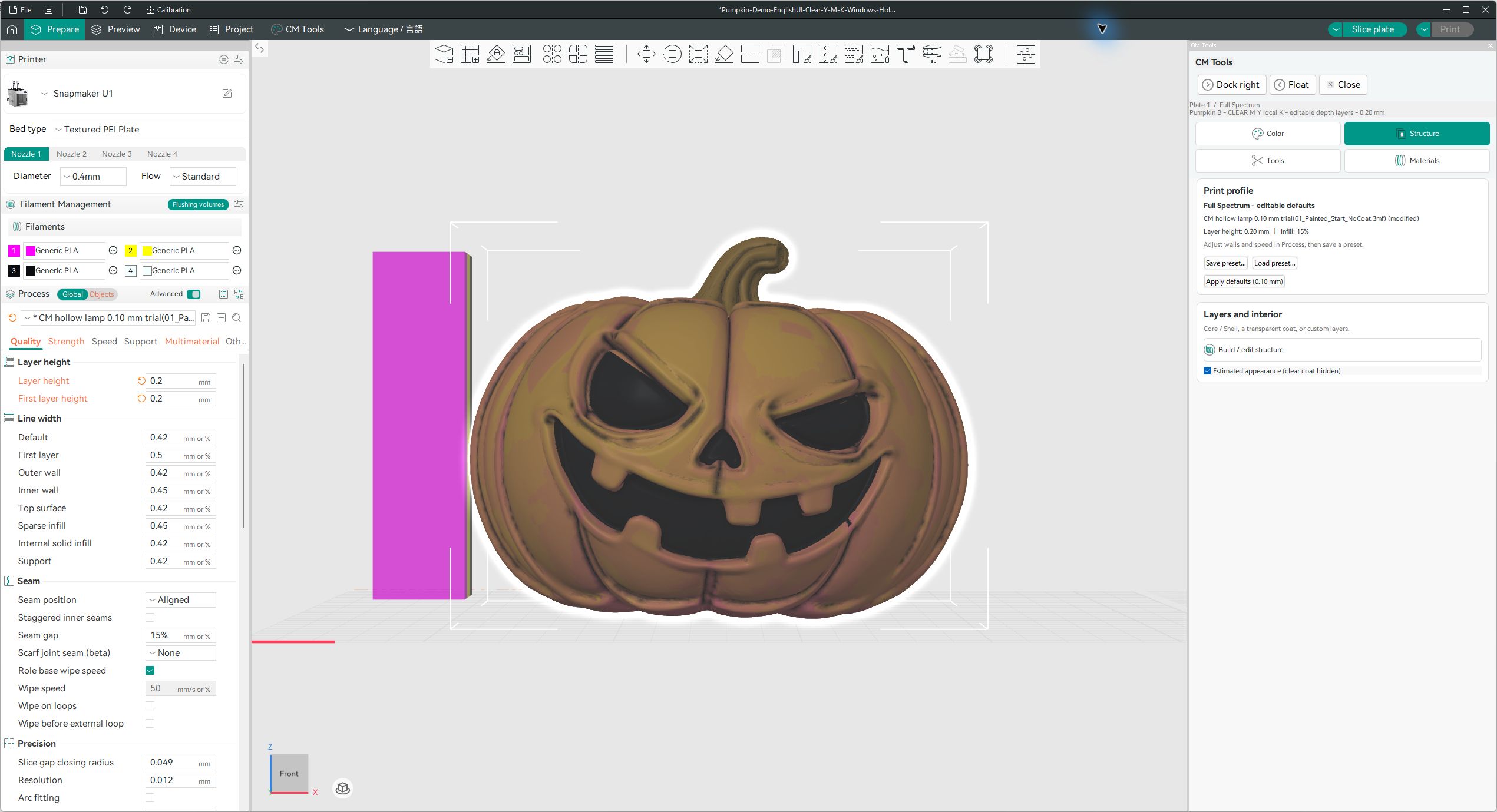
Ready-to-run packages. No separate ChromaMatter installation needed.
Windows x64
Download for Windowsdev3-R8 · ZIPExtract the entire ZIP, then open chromamatter-orca-dev.exe. Settings are shared with earlier CM trials: back them up and close older versions first.
Apple Silicon · macOS 15+
Download for Macdev3-R8 · ZIP · 234 MBExtract on your Mac and open the app. Ad-hoc signed only; no Developer ID or notarization. Settings may be shared with older CM builds.
Ubuntu 22.04 · x86_64
Download for Linuxdev3-R8 · tar.gz · 358 MBExtract, then run Start-Orca.sh. Uses a dedicated R8 settings directory by default; an explicit XDG_CONFIG_HOME is respected.
Experimental software, not a stable release. Keep originals and work on copies.
Mac and Linux build/package checks passed; real-model GUI operations, slicing and printing on these platforms remain unverified. The latest R8 Windows protection changes have not had a final GUI verification. Always inspect the sliced result before printing. This is an unofficial Snapmaker Orca modification.
Extract into a separate folder. Back up settings and save projects under new names. See the release README for dependencies, launch instructions and SHA-256 values.